You became a geotechnical engineer to solve problems, not to copy data from PDFs into spreadsheets. But too often, that's where the time goes: receive a GI report, manually extract borehole data, reformat it, build a strata table, run your analysis, and finally produce something you can put in front of a client. It's hours of processing before the real work even starts.
Compass: Terra Professional launched today to close that gap. It takes your raw GI reports through four stages (digitise, visualise, analyse, utilise) so you spend less time processing and more time engineering.
01 Digitise
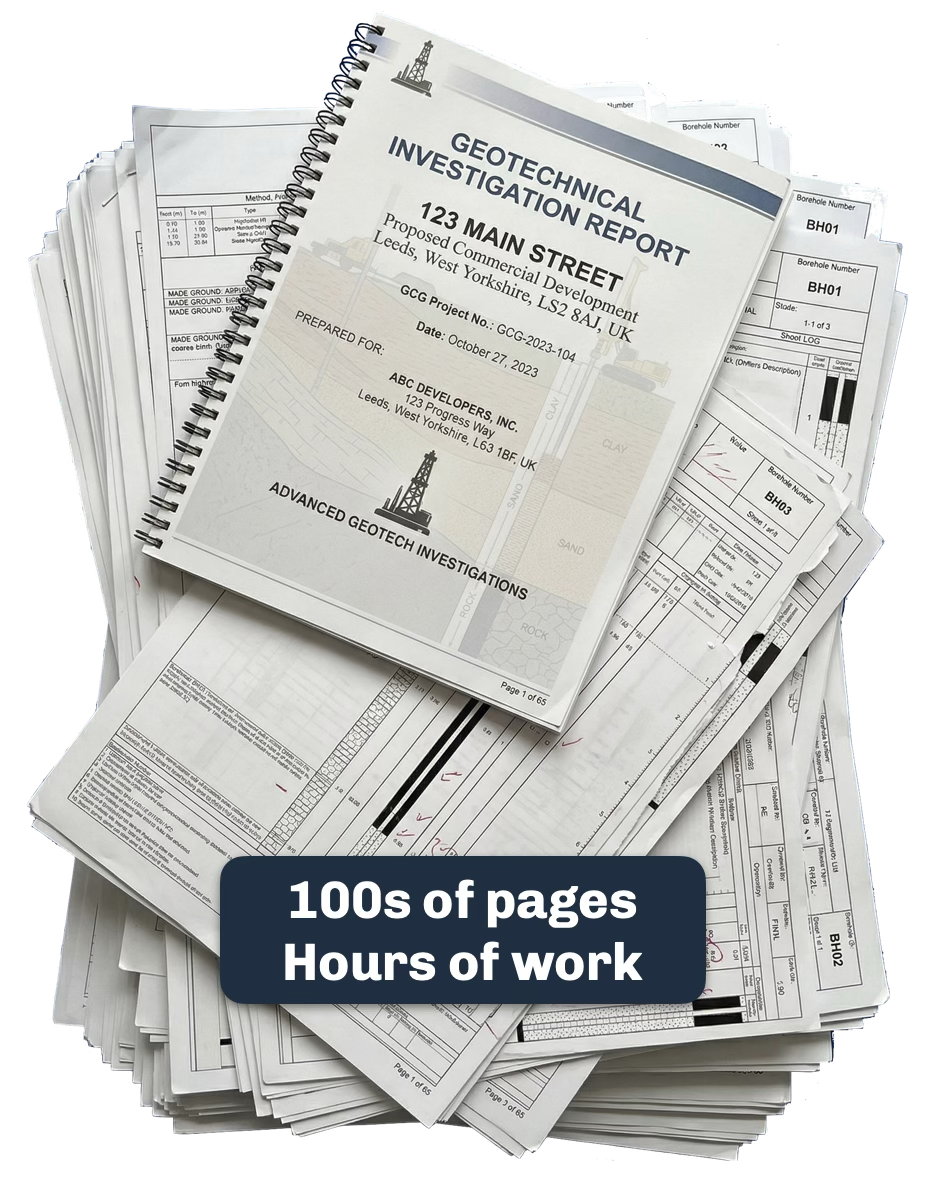
Ground investigation reports are messy: borehole logs, test certificates, and interpretive text interspersed across 80+ pages. Most tools choke on anything but the simplest, most common templates.
Terra handles the mess. Upload your PDFs and it extracts borehole locations, strata descriptions, test results, and metadata into a Spatial Knowledge Graph. The Knowledge Graph understands geospatial context: where each borehole sits, what depths were sampled, which test certificates belong to which locations, and the relationships implicit in linked data, all within a geotechnical context. The result: structured, queryable site data in minutes, from documents that would normally take hours to process by hand.
02 Visualise
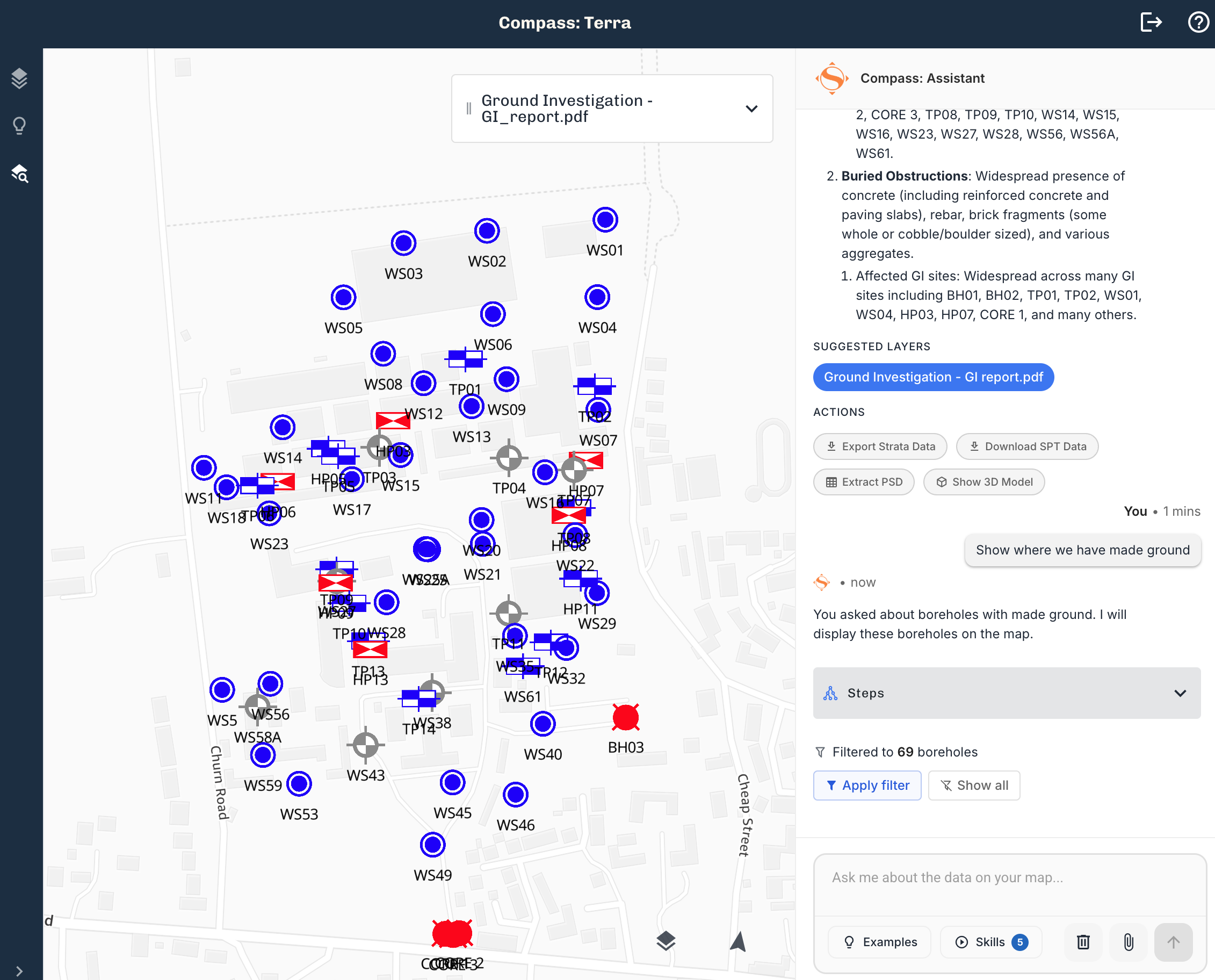
Your extracted data appears on an interactive map immediately. See borehole locations, strata boundaries, and test results in their true geospatial context. Switch to the 3D view and see subsurface volumes rendered from your actual borehole data.
But the real shift is the AI map assistant. Ask complex geospatial questions in plain English: "Where do we have made ground?" or "Show me boreholes where gravel is deeper than 3 metres." Get answers pinned to the map, grounded in your project data. No GIS experience needed.
03 Analyse
Terra provides the tools; your expertise drives the interpretation.
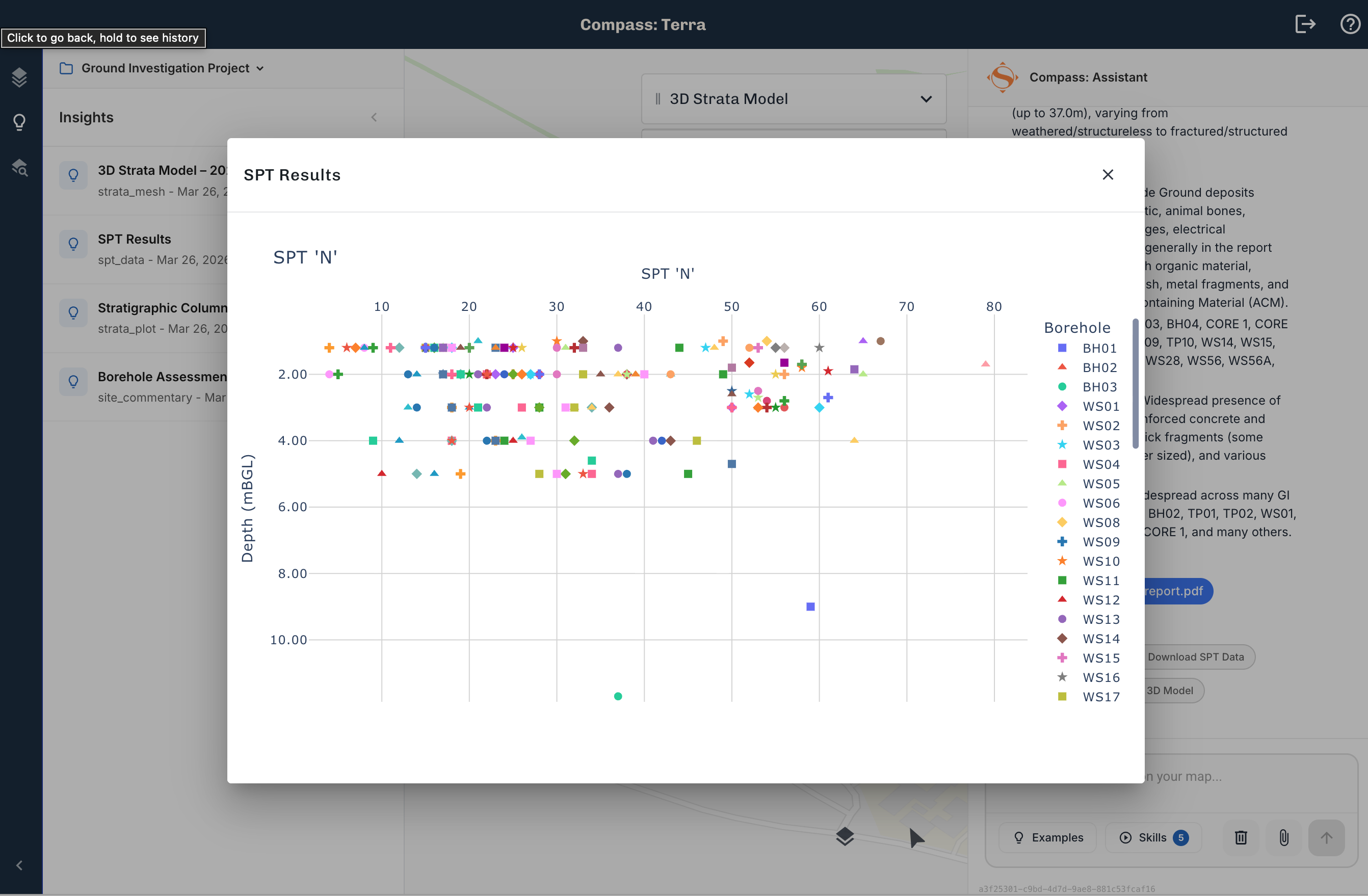
SPT analysis extracts blow counts from test certificates and plots them against depth, across your entire site. Particle size distribution data gets the same treatment. These are the outputs you'd normally spend hours building in a spreadsheet, generated directly from the source documents.
The AI map assistant works here too. Ask it to identify areas of concern, compare conditions between boreholes, or flag anomalies. It pulls from your actual site data, so every answer is traceable. Overlay flood risk, ecological designations, contamination records, and SSSI data alongside your extracted results, all on one map.
04 Utilise
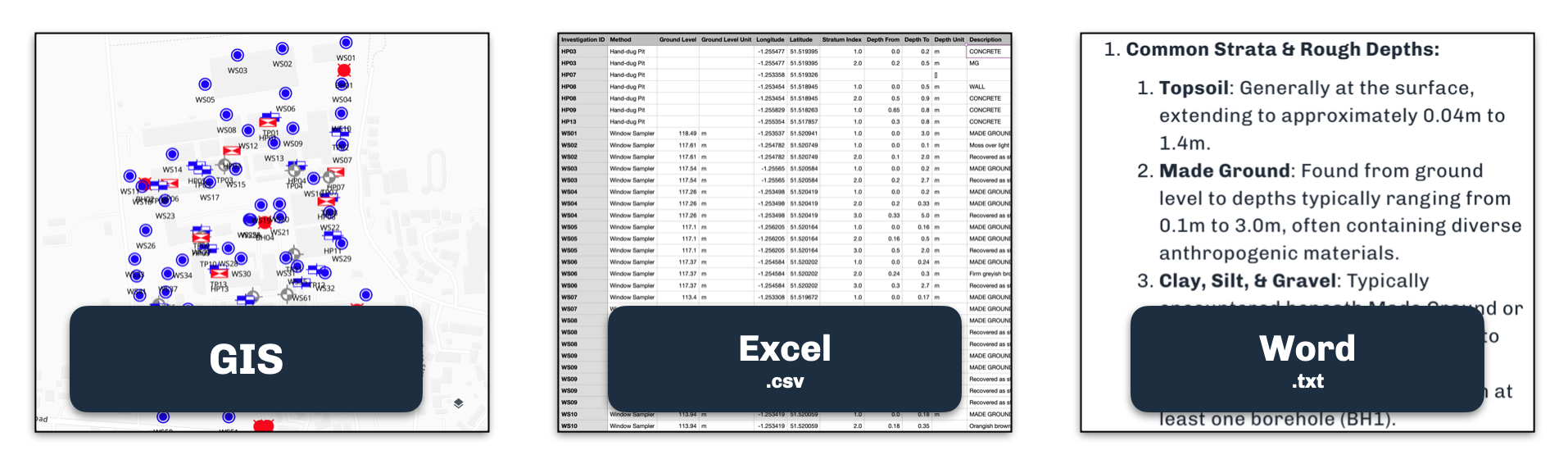
Structured geotechnical data and your own analysis, ready to export. Download to CSV, GIS formats, or use the outputs directly in your design calculations and reports. The data leaves Terra in a form your existing tools already understand.
No lock-in. The work you do in Terra is yours to take wherever you need it.
Your free trial
Every new signup gets 30 days of Pro at no cost. Your account comes pre-loaded with a sample dataset so you can see every feature in action before uploading your own data. After 30 days, continue on Pro for $99/month or keep using the free tier. No time limit.
Compass: Terra is built by SimAnalytica. We're building spatial intelligence infrastructure for companies that work in the physical world.